AI workflow automation is transforming how operations teams handle repetitive tasks, route decisions, and connect disparate tools across their tech stacks. Instead of manually copying data between platforms or building rigid rule-based triggers, professionals now use AI to orchestrate multi-step processes that adapt in real time. The shift isn't theoretical anymore.
Companies of every size are deploying automation tools that combine machine learning, natural language processing, and structured workflow execution to handle work that once required hours of human attention. Whether you're evaluating platforms or building your first automated pipeline, understanding the fundamentals of AI task automation is the starting point.
This FAQ covers the most common questions operations and automation professionals ask, with practical answers grounded in real-world application. If you're looking for a broader overview of the topic, our complete guide to AI workflow automation covers the foundational concepts in depth.
Key Takeaways
- AI workflow automation uses machine learning to handle multi-step business processes without constant human oversight.
- It differs from traditional automation by adapting to unstructured data and making context-aware decisions.
- Operations teams typically see 40% to 70% time savings on repetitive administrative workflows.
- Successful implementation requires clear process mapping before selecting any automation tools.
- Start with high-volume, low-complexity tasks to build confidence before scaling to complex workflows.
What Is AI Workflow Automation and How Does It Differ From Traditional Automation?
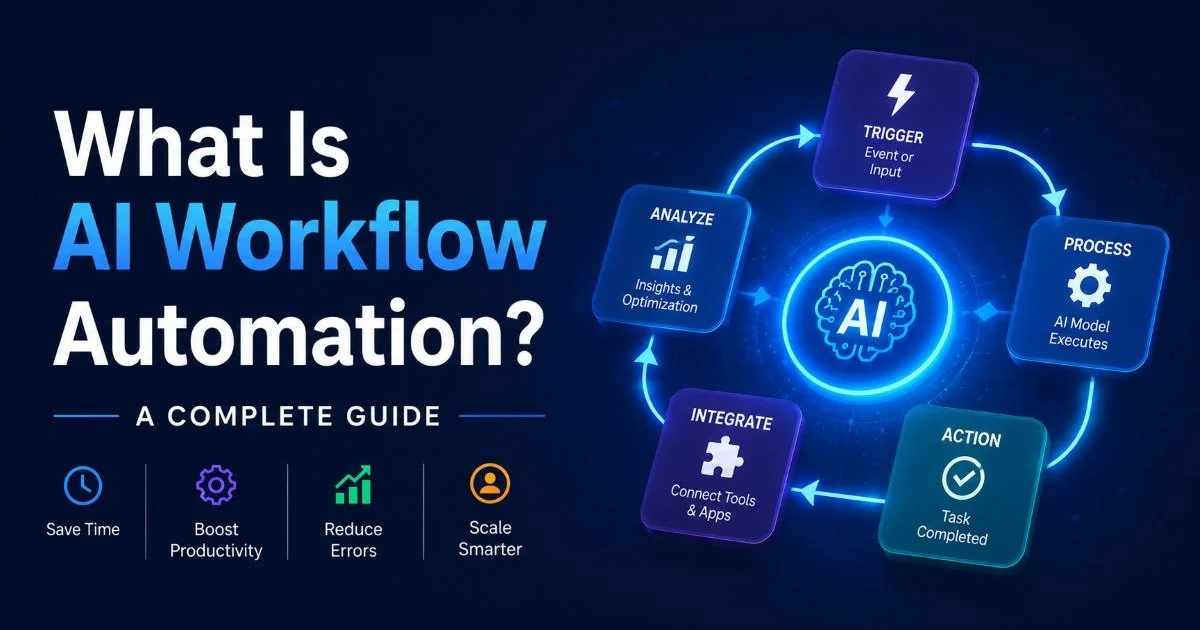
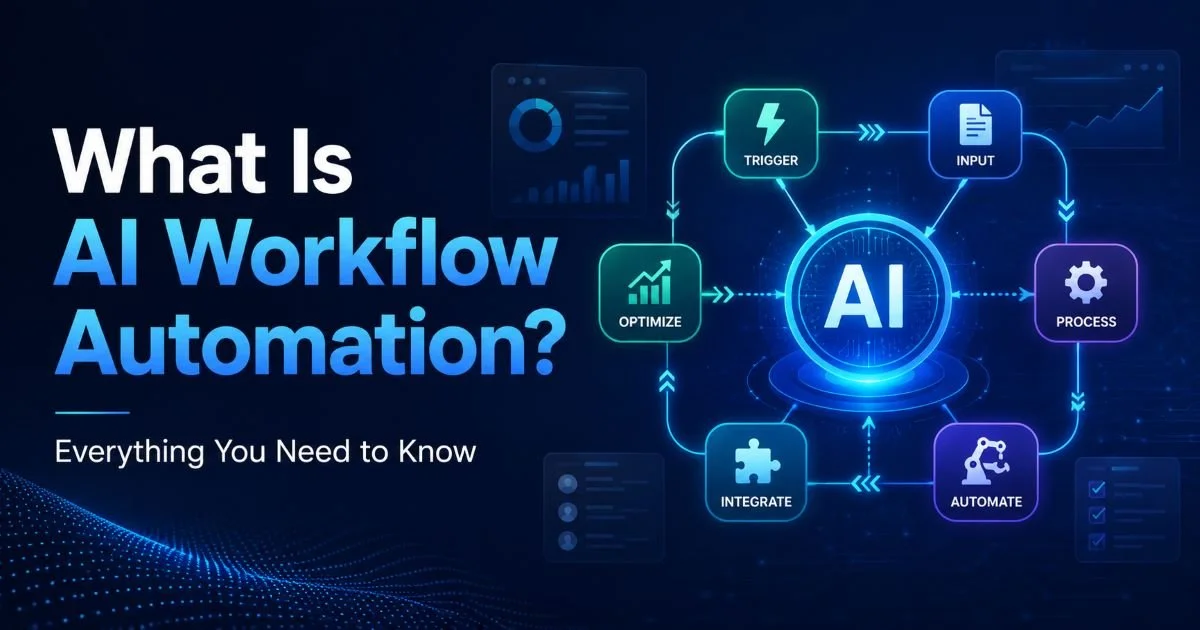
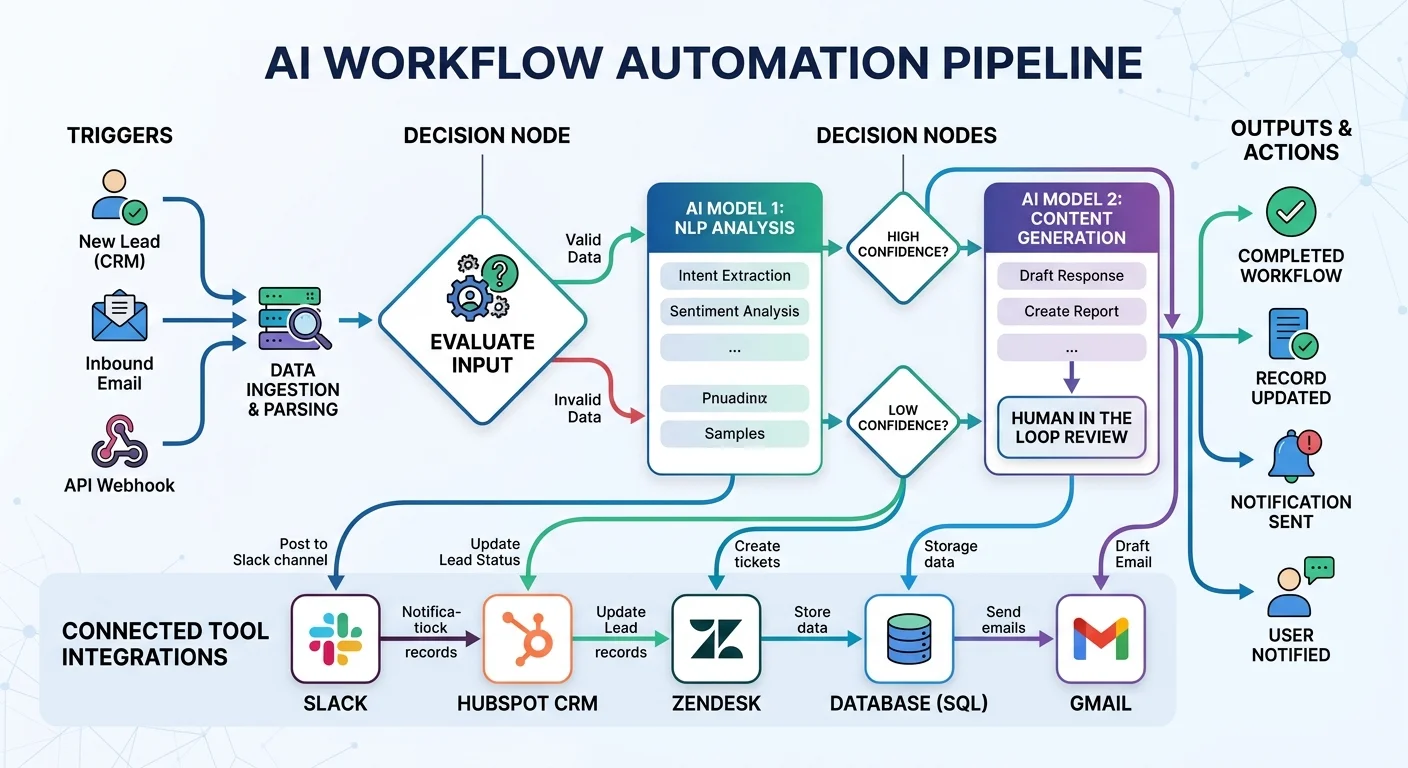
AI workflow automation refers to the use of artificial intelligence to design, execute, and optimize sequences of tasks across business systems. Unlike simple "if this, then that" automation, AI-driven workflows can interpret unstructured inputs (like emails, documents, or images), make probabilistic decisions, and improve their performance over time through feedback loops. The distinction matters because traditional automation breaks the moment it encounters data it wasn't explicitly programmed to handle. AI fills that gap by reasoning about context rather than relying solely on rigid conditional logic.
Traditional vs. AI-Driven Approaches
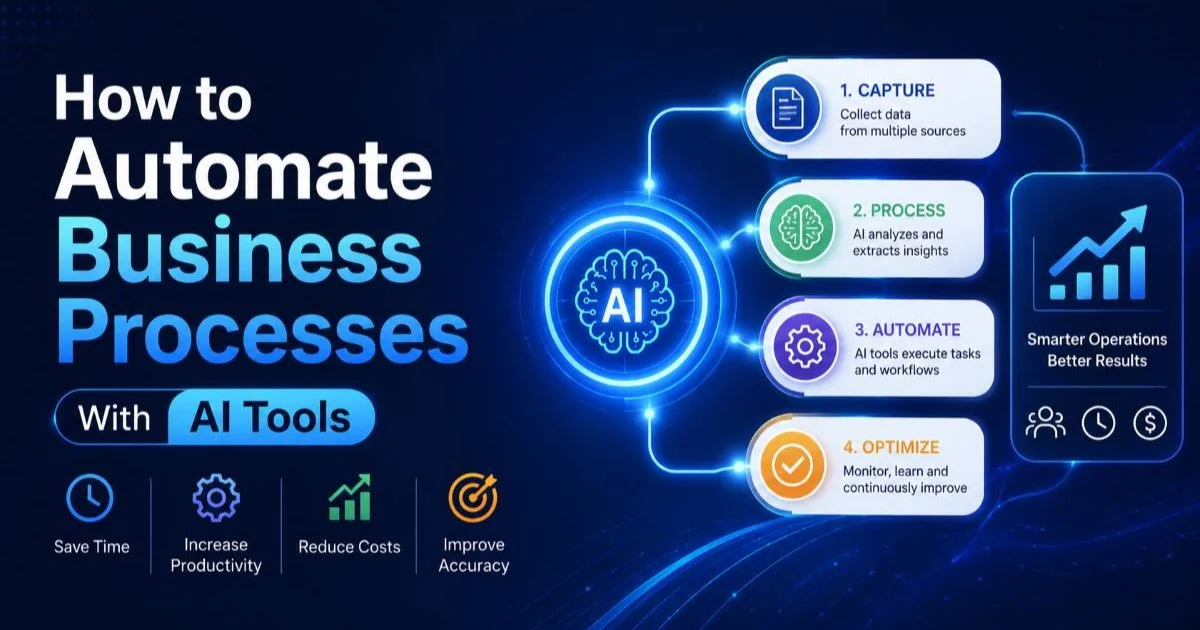
Traditional automation tools work well for structured, predictable tasks. A rule that moves every invoice from a specific sender into a folder, for example, is reliable but brittle. Change the sender's email format, and the rule fails. AI-powered automation handles variability because it classifies content based on patterns rather than exact matches. This is why organizations looking to automate business processes with AI tools often find that hybrid approaches, blending rules with intelligence, deliver the best outcomes.
The practical result is that AI workflow automation reduces the maintenance burden on operations teams. Instead of constantly updating rules when processes shift, AI agents can adapt to minor variations autonomously. This doesn't eliminate the need for human oversight entirely, but it shifts the role from constant micromanagement to periodic review and correction. Teams spend less time fixing broken automations and more time refining strategy.
Map your existing workflow completely before adding AI. Automating a broken process just makes it break faster.
What Types of Business Processes Can AI Automate?
The short answer: almost any process that involves repetitive steps, data movement between systems, or classification decisions. In practice, the best candidates for business process automation share a few traits. They happen frequently, they follow a somewhat predictable pattern (even if the inputs vary), and the cost of human error in executing them is meaningful. Think invoice processing, customer ticket routing, employee onboarding checklists, data reconciliation, and report generation.
Also Read: How Automated Workflows Improve Team Collaboration
Common Automation Use Cases
Operations teams most commonly start with document-heavy workflows. Extracting data from PDFs, categorizing support requests, or generating summaries from meeting transcripts are areas where AI excels. Sales teams use automation to enrich CRM records, score leads, and trigger personalized follow-up sequences. Finance departments automate expense approvals, purchase order matching, and anomaly detection in transaction logs. Each of these represents a process where manual handling is slow, error-prone, and unnecessary given current technology.
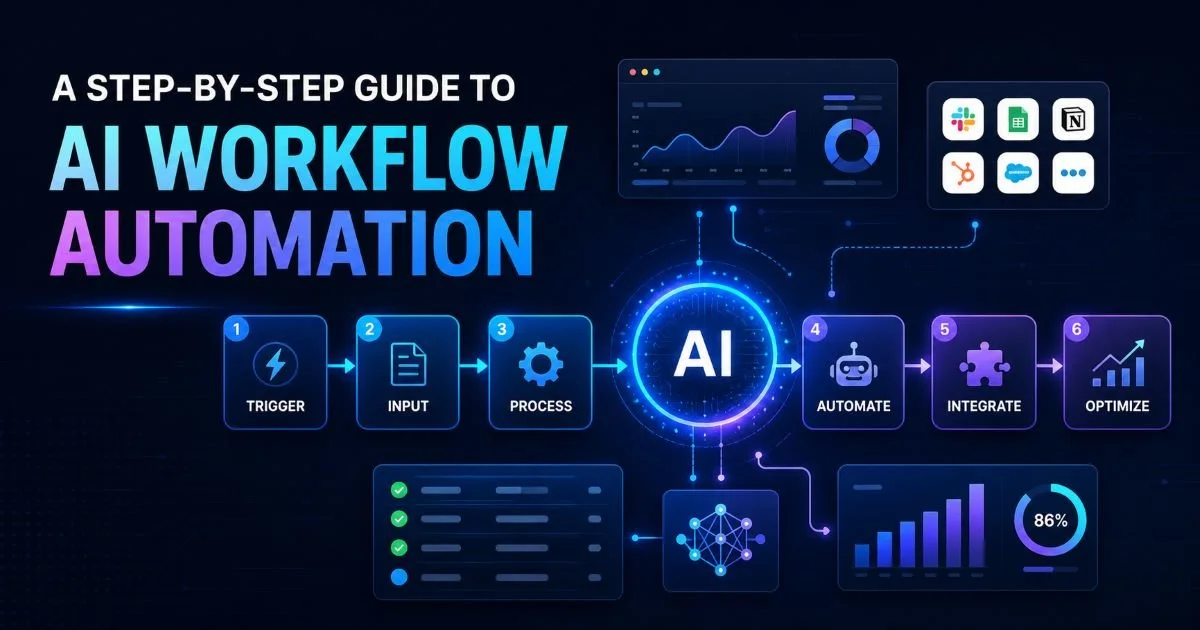
More advanced implementations go beyond single-task automation. A step-by-step approach to AI workflow automation might involve chaining multiple AI agents together: one that reads incoming emails, another that extracts key entities, a third that updates a database, and a final agent that notifies the right team member. These multi-agent workflows are where the real productivity gains emerge, because they eliminate entire sequences of manual handoffs rather than just individual steps.
| Business Function | Example Automated Task | Typical Time Saved |
|---|---|---|
| Finance | Invoice data extraction and matching | 70% per invoice |
| Customer Support | Ticket classification and routing | 50% per ticket |
| HR / People Ops | Onboarding document collection | 60% per new hire |
| Sales Operations | CRM enrichment and lead scoring | 45% per record |
| IT Operations | Log analysis and alert triage | 55% per incident |
Time savings vary significantly based on process complexity and data quality. Start measuring your current baseline before projecting ROI.
How Do I Choose the Right Workflow Automation Tools?
Selecting workflow automation tools isn't about finding the platform with the most features. It's about matching capabilities to your actual needs. Start by auditing the processes you want to automate. Are they document-centric? Data-routing tasks? Decision-heavy workflows requiring conditional logic? The answers will narrow your options faster than any feature comparison chart. Some platforms specialize in no-code visual builders for simple automations, while others support complex agent-based architectures for sophisticated multi-step processes.
Evaluation Criteria That Matter
Integration depth is often more important than AI sophistication. A tool that connects natively to your existing stack (your CRM, project management system, communication platform, and data warehouse) will deliver value faster than one with impressive AI but limited connectors. Look at the API flexibility as well. Can you build custom integrations when pre-built ones don't exist? Operations professionals know that real-world tech stacks are messy, and the best automation platforms accommodate that messiness rather than pretending it doesn't exist.
Cost structure deserves serious scrutiny. Some platforms charge per task execution, which sounds reasonable until a high-volume workflow starts running thousands of times per day. Others offer flat-rate pricing that favors heavy usage. Consider the comparison between different AI-powered tools carefully; for example, when evaluating AI coding agents, the differences between Devin and Cursor illustrate how specialized tools can vary dramatically in approach despite operating in the same space. The same principle applies to workflow automation platforms: surface-level similarity often masks significant differences in architecture and pricing.
Avoid locking into annual contracts before running a meaningful pilot. Most automation platforms offer trial periods, so use them with real workflows, not toy examples.
Governance and observability features are often overlooked during evaluation. As your automation scales, you need clear audit trails, error handling, version control for workflow definitions, and role-based access controls. A platform that's easy to set up but impossible to troubleshoot at scale creates a different kind of operational burden. The best teams evaluate not just how fast they can build the first workflow, but how manageable twenty or fifty workflows will be six months later.
"The best automation platform is the one your team will actually maintain six months after launch."
What Results Can I Expect From AI Task Automation?
Realistic expectations matter more than vendor promises. Organizations that approach AI task automation with clear metrics and well-defined processes typically see meaningful results within 30 to 90 days of deployment. The gains show up in three areas: time savings on repetitive tasks, reduction in human error rates, and improved consistency of outputs. A customer support team that automates ticket routing, for instance, often reduces average response time by 30% to 50% while improving categorization accuracy. Understanding how AI workflow automation cuts costs and saves time helps set realistic benchmarks for your own implementation.
Measuring Real Impact
The mistake many teams make is measuring automation success purely by task count. Running 10,000 automated tasks per month sounds impressive, but what matters is the downstream impact. Did error rates drop? Did team members reallocate freed-up hours to higher-value work? Did customer satisfaction scores improve? Build your measurement framework around business outcomes, not platform activity metrics. Track the hours returned to your team and what those hours get redirected toward.
Scaling is where many organizations stall. The first few automated workflows deliver obvious wins, but expanding to more complex, cross-functional processes requires governance, change management, and sometimes cultural shifts. Teams that treat automation as an ongoing practice rather than a one-time project tend to compound their gains. They build internal expertise, document their workflows, and create playbooks for onboarding new automations. This operational maturity is what separates teams that automate a handful of tasks from those that fundamentally transform how work gets done.
Create an internal automation catalog that documents every active workflow, its owner, trigger conditions, and last review date.
One frequently underestimated factor is data quality. AI automation amplifies whatever it receives. Feed it clean, well-structured data and it performs brilliantly. Feed it messy, inconsistent inputs and it produces messy, inconsistent outputs at scale. Before blaming the automation tool, audit your data pipelines. Many apparent automation failures are actually data quality problems wearing a different disguise. Investing a week in data cleanup often produces better results than switching to a more expensive platform.
Frequently Asked Questions
?How do I map a process before picking an automation tool?
?Is a hybrid rules-plus-AI approach better than pure AI automation?
?How long does it realistically take to see the 40–70% time savings?
?What's the biggest mistake teams make when starting AI task automation?
Final Thoughts
AI workflow automation is no longer a future promise; it's a present-day operational advantage. The technology has matured to the point where operations professionals can build, deploy, and manage intelligent workflows without deep technical expertise.
Start by mapping your highest-volume manual processes, select tools that match your integration reality, and measure outcomes that matter to the business. The teams that win with automation aren't necessarily the most technical. They're the most disciplined about process design, data quality, and continuous improvement.
Disclaimer: Portions of this content may have been generated using AI tools to enhance clarity and brevity. While reviewed by a human, independent verification is encouraged.